From hello to yes.
Follow one agency and one client through Yeslane: bringing on a new client, the weekly approval loop, and everything around the work. Watch it in under three minutes, or read it step by step.
The walkthrough
Meet the cast
Northline Studio is a small agency, and HeadsUp RSVP is one of its clients. Everything below is the real prototype, in Northline’s brand.
- Maya ChenAccount manager, Northline Studio
- Henry HuynhFounder, HeadsUp RSVP
- Priya ShahMarketing lead, HeadsUp RSVP
Part 1
A new client comes on board
Set up once, invite the client, onboard them and book the kickoff.
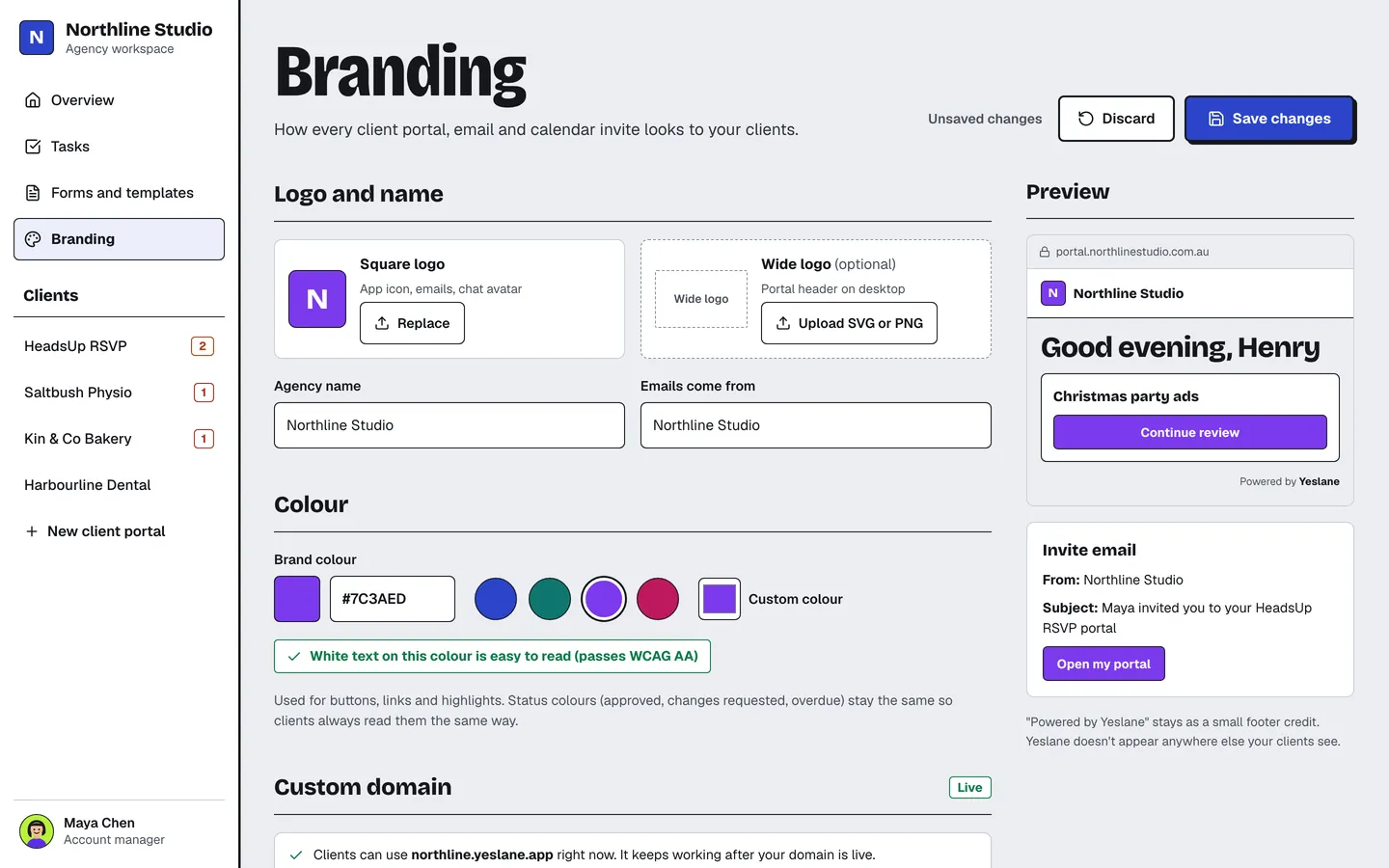
Set up your brand once
Maya adds Northline’s logo, picks its colour and connects its own domain, portal.northlinestudio.com.au. Every client portal, email and calendar invite follows it. Clients only ever see a small Powered by Yeslane credit.
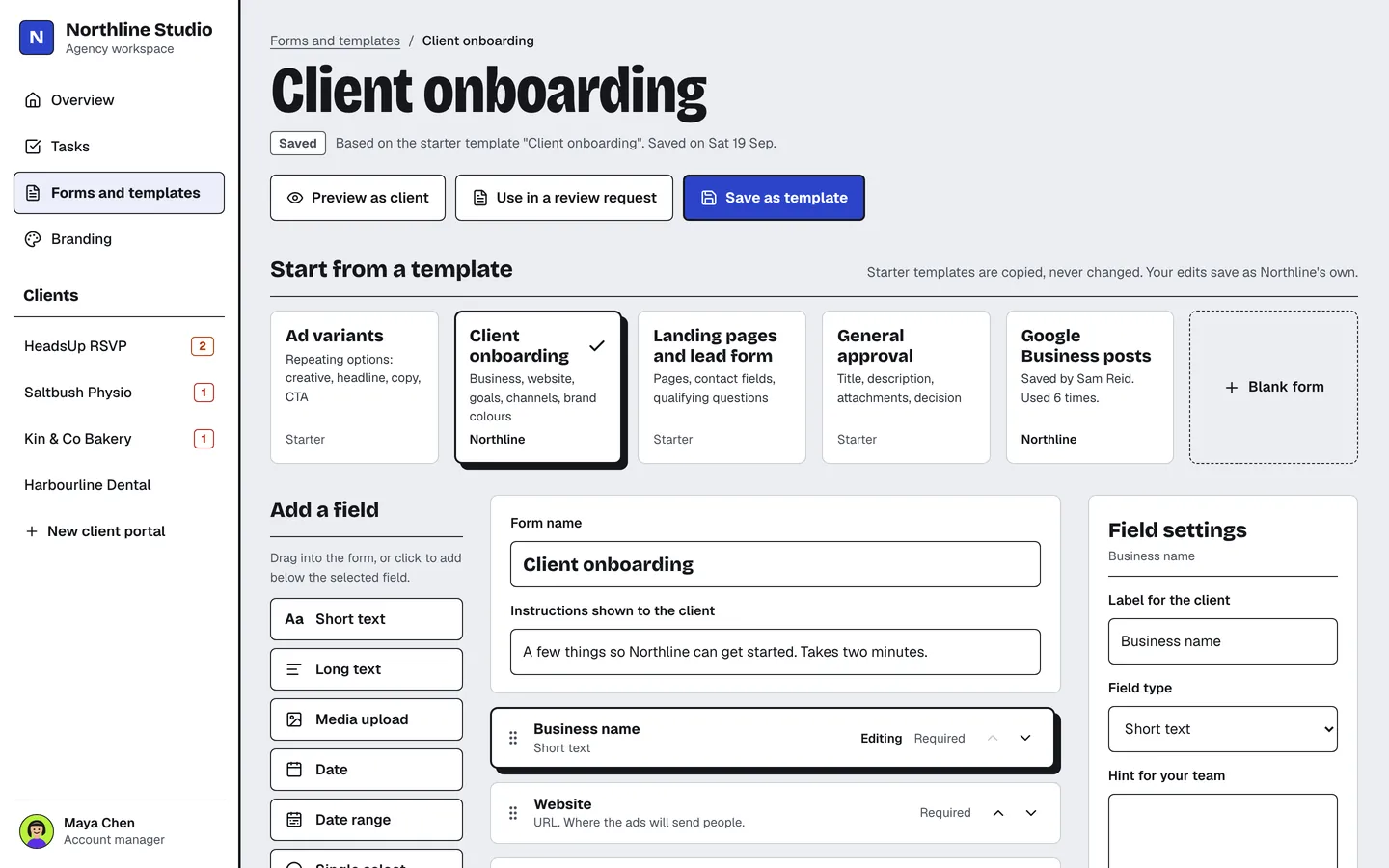
Pick an onboarding form
Start from a template, like client onboarding, ad variants or landing pages, or build your own from text, dates, choices, uploads and colour fields. Templates are copied, so your edits stay yours.
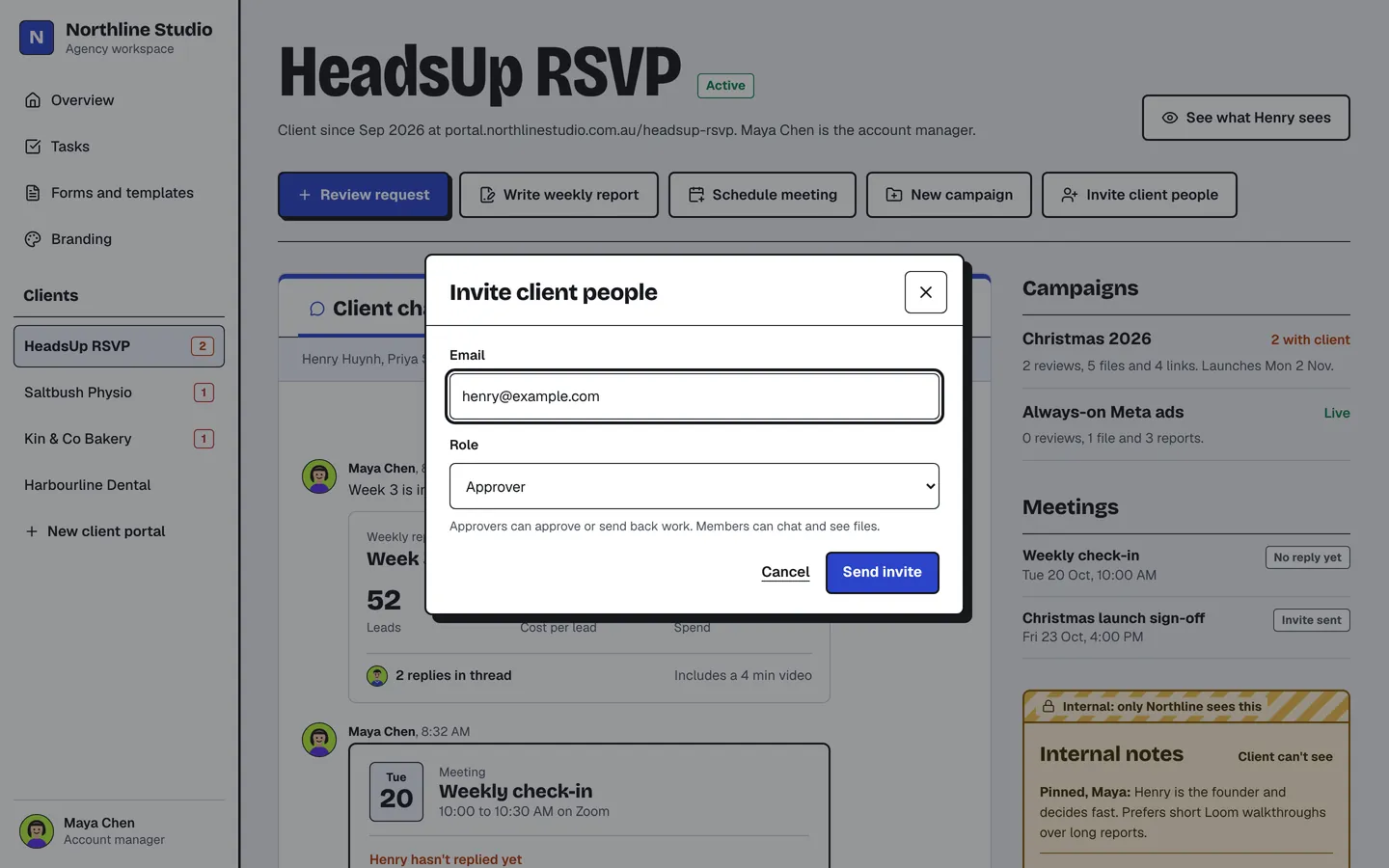
Invite the client
Maya enters Henry’s email and chooses whether he can approve work or just chat and see files. No accounts to create and no passwords to remember.
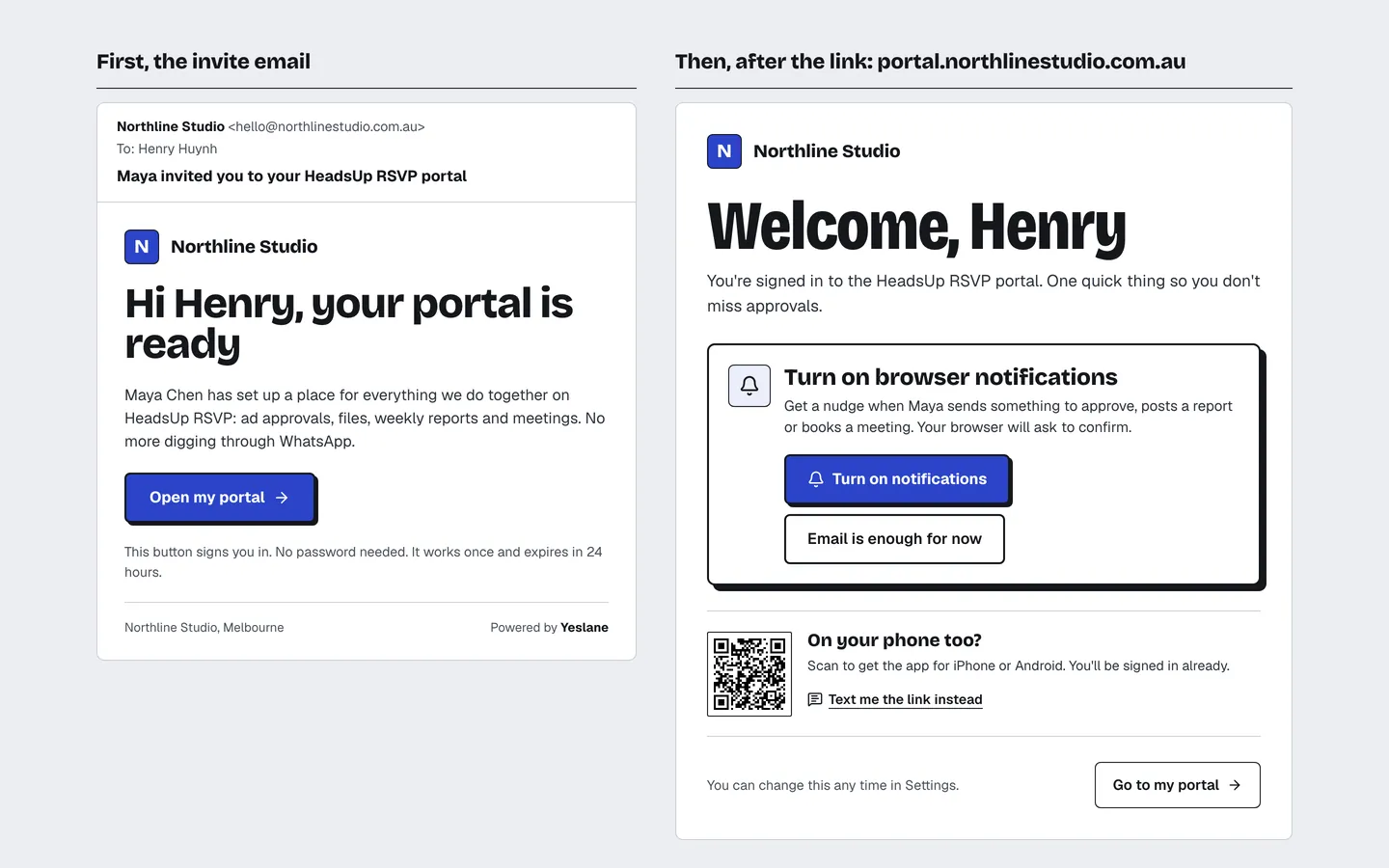
A branded invite, one click in
Henry gets an email from Northline, not from a software company. One button signs him in, then he can turn on notifications so he never misses an approval.
Tell the agency about the business
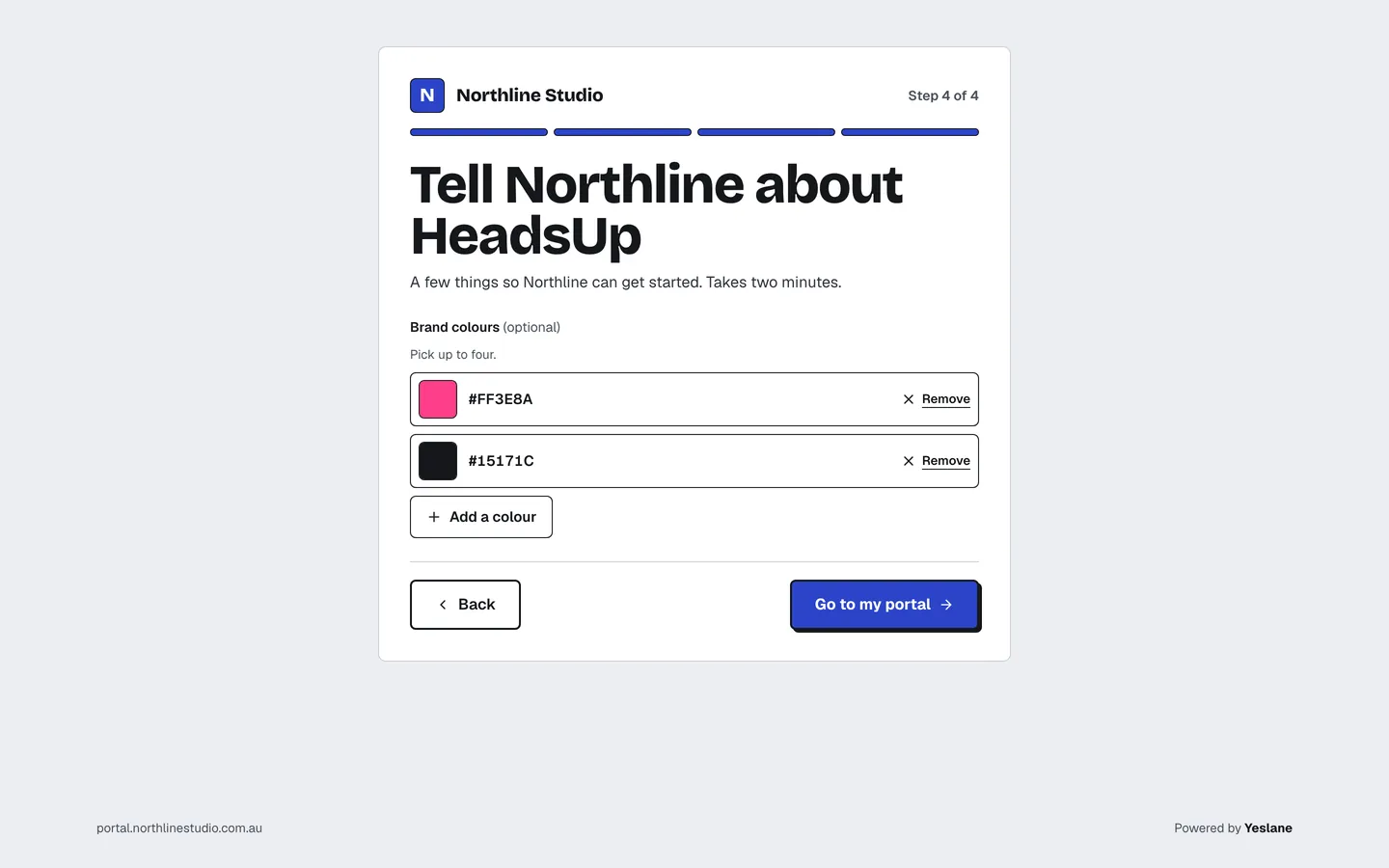
Henry answers Northline’s onboarding form in four short steps: the business, the goal this season, where they advertise now and their brand colours. The answers land with Maya, ready for the kickoff.
A calm first look
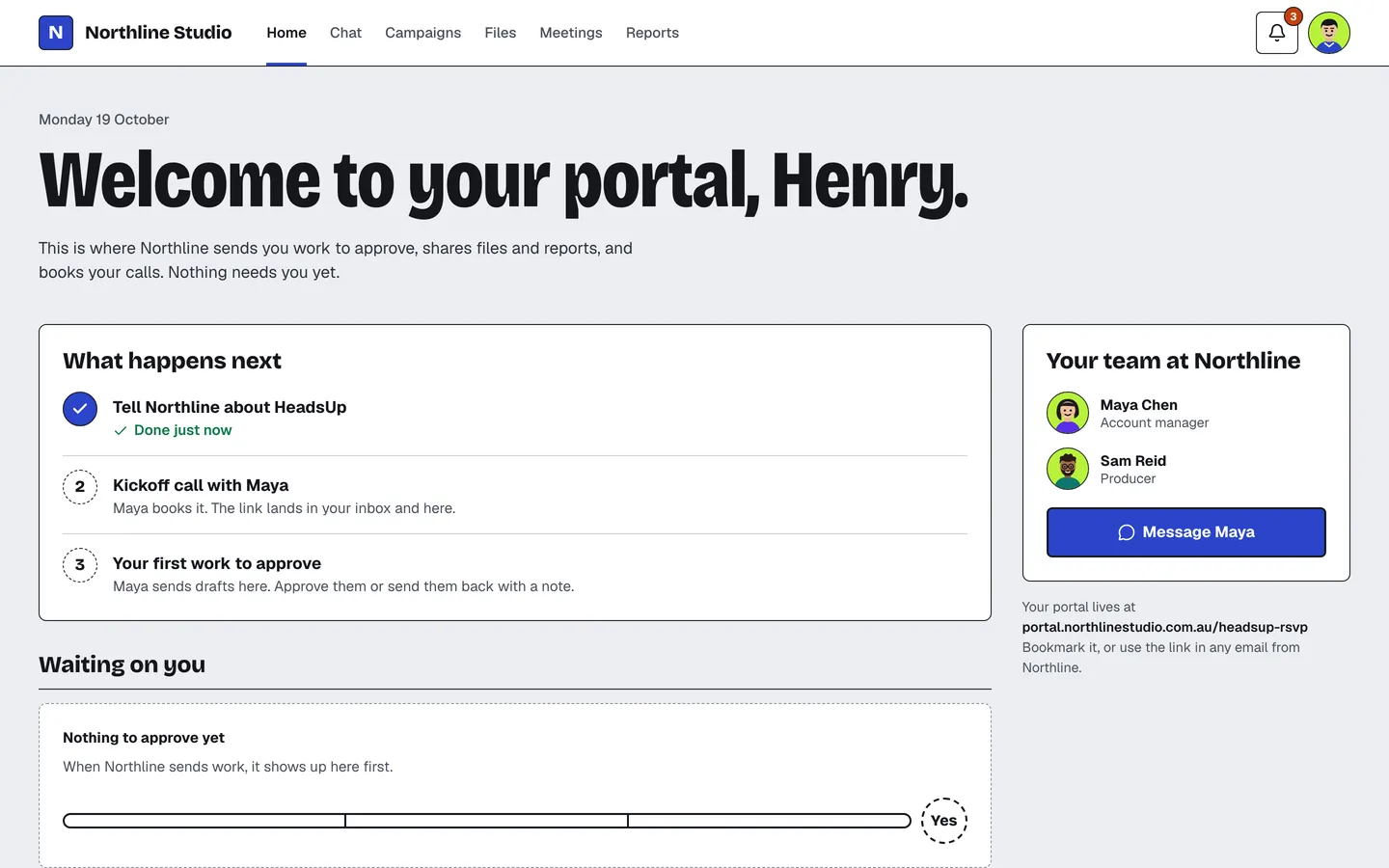
His portal opens on what happens next: the kickoff call, then the first work to approve. Nothing needs him yet, and his Northline team is one click away.
Book the kickoff, link included
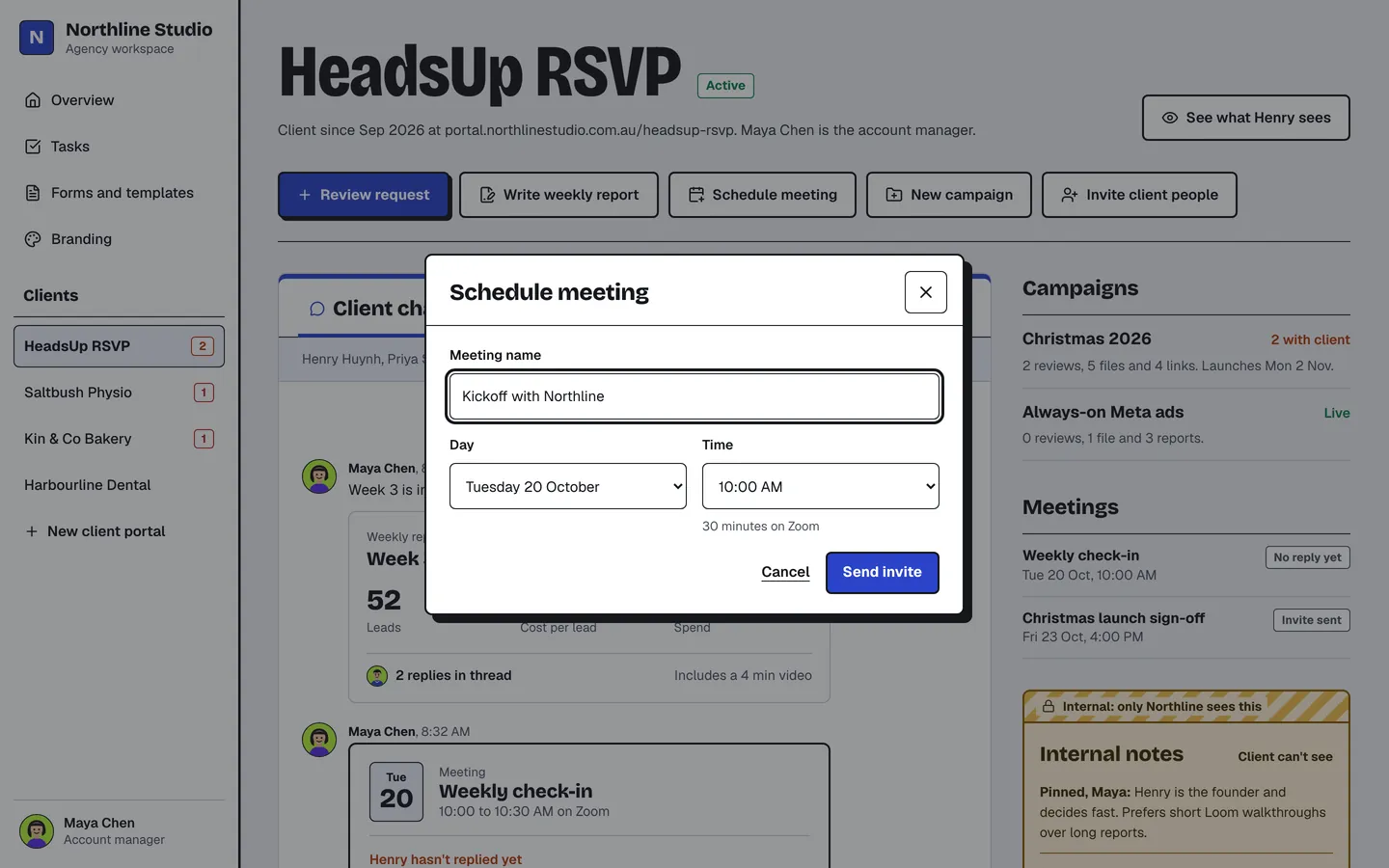
Maya books the call from Henry’s portal. Yeslane makes the Zoom, Google Meet or Microsoft Teams link from Northline’s connected account and sends it to both of them, so nobody copies links around.
Part 2
The weekly loop
Send work, get a decision, ship the next version.
Send work for sign-off
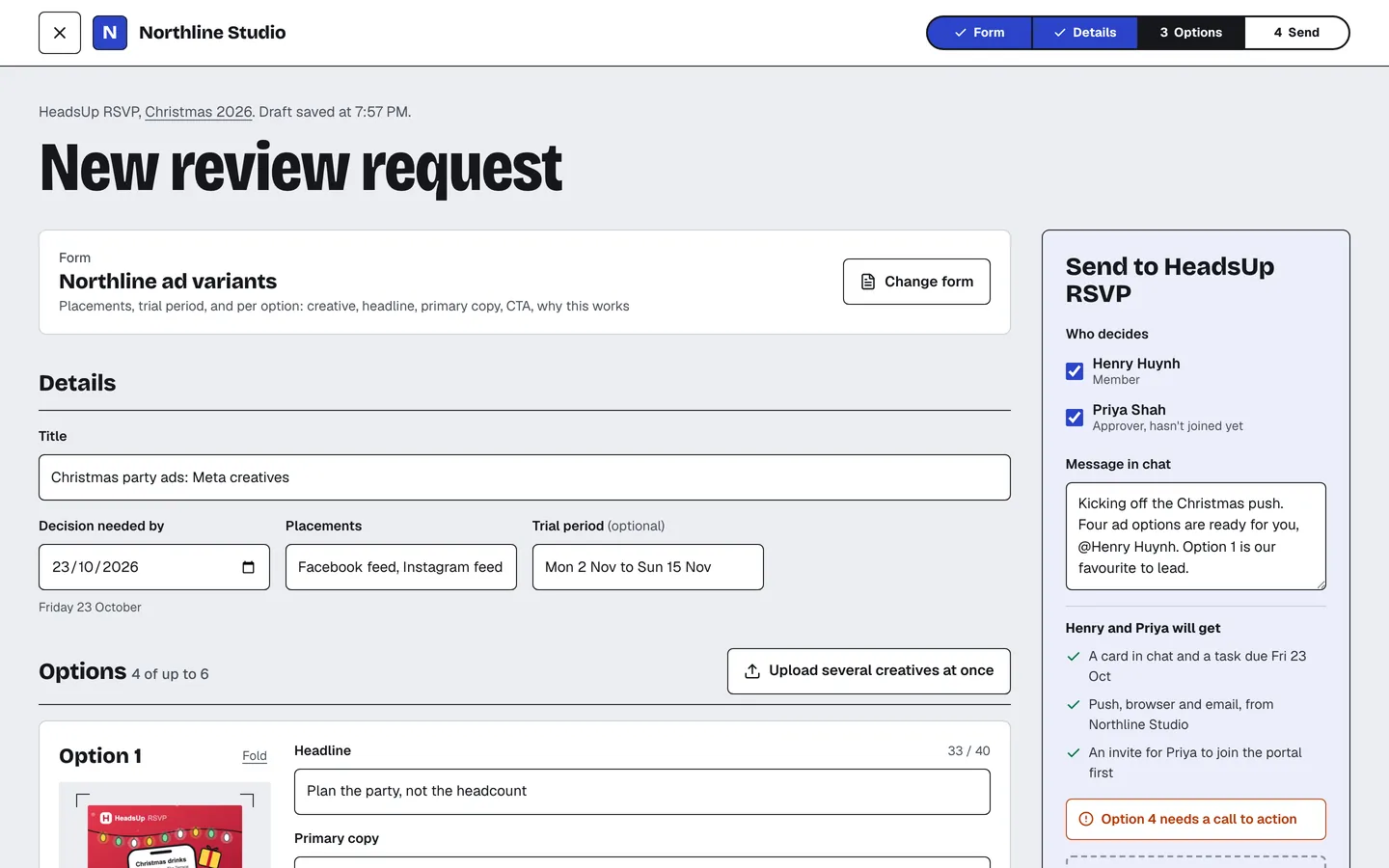
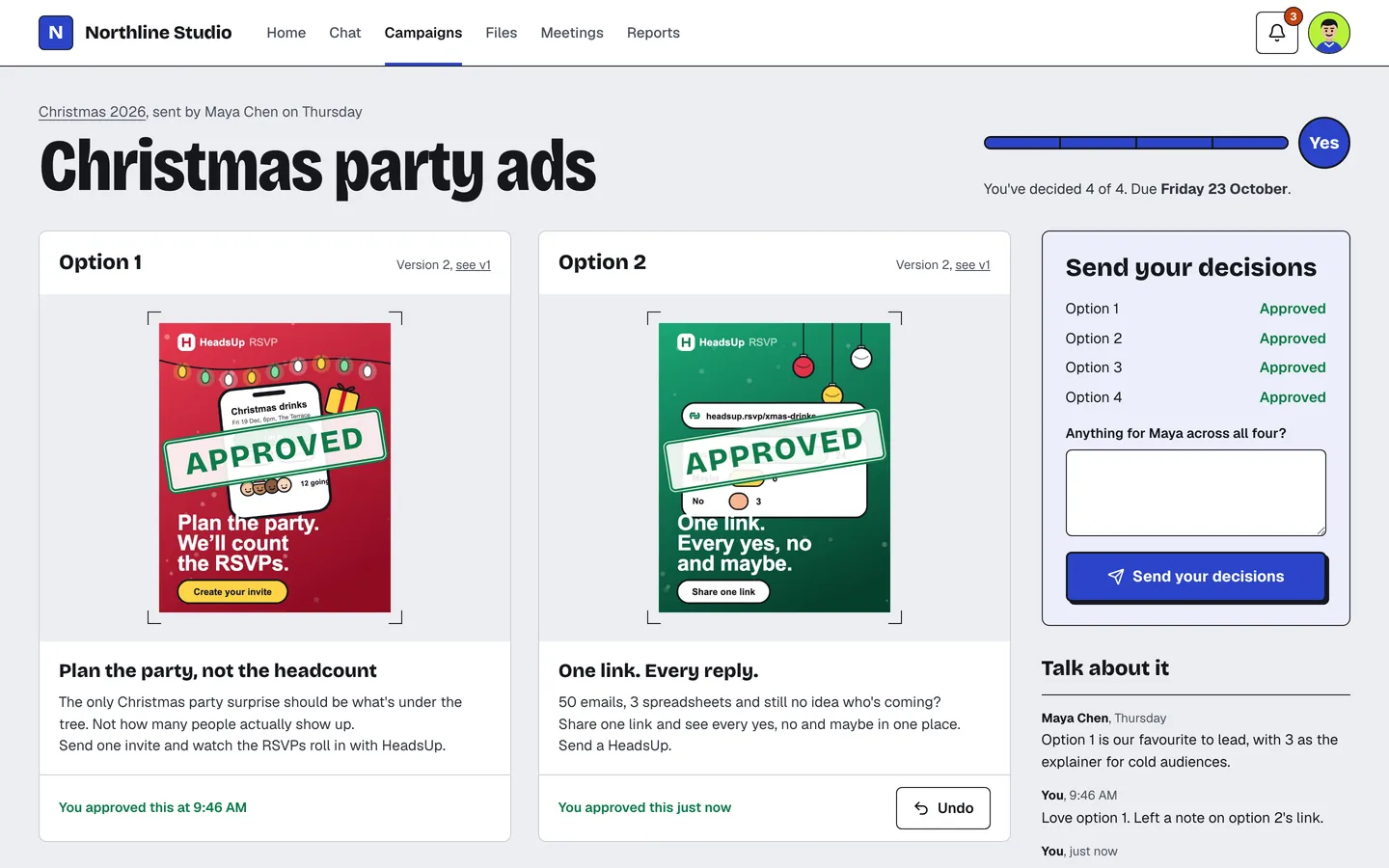
Maya sends four Christmas ad options, each with its headline, copy and why it works. She picks who decides, Henry and Priya, and when the decision is due.
Know what’s waiting on you
Henry gets a notification, and his portal opens on exactly what needs him: two of the four options still need his call, due Friday.
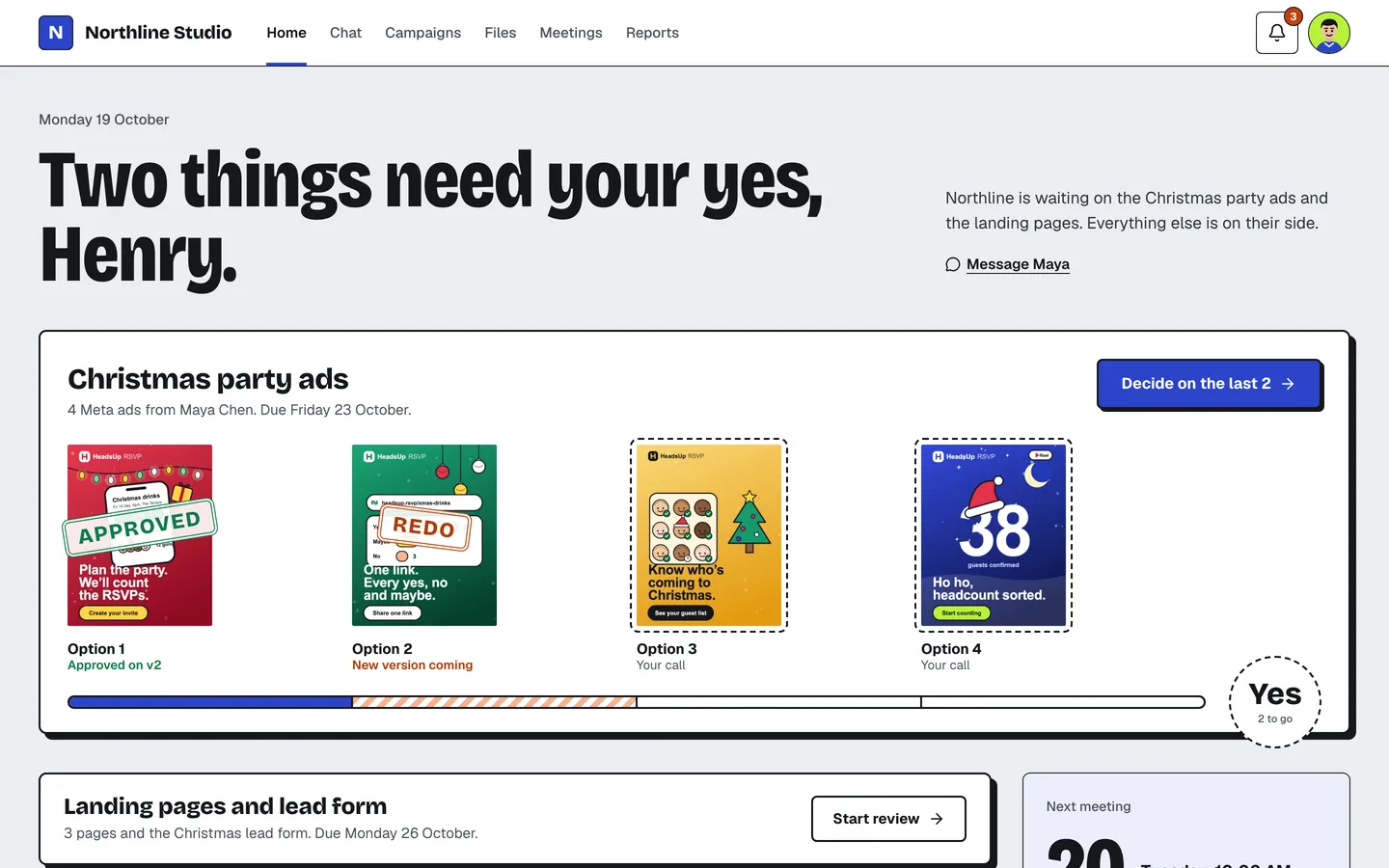
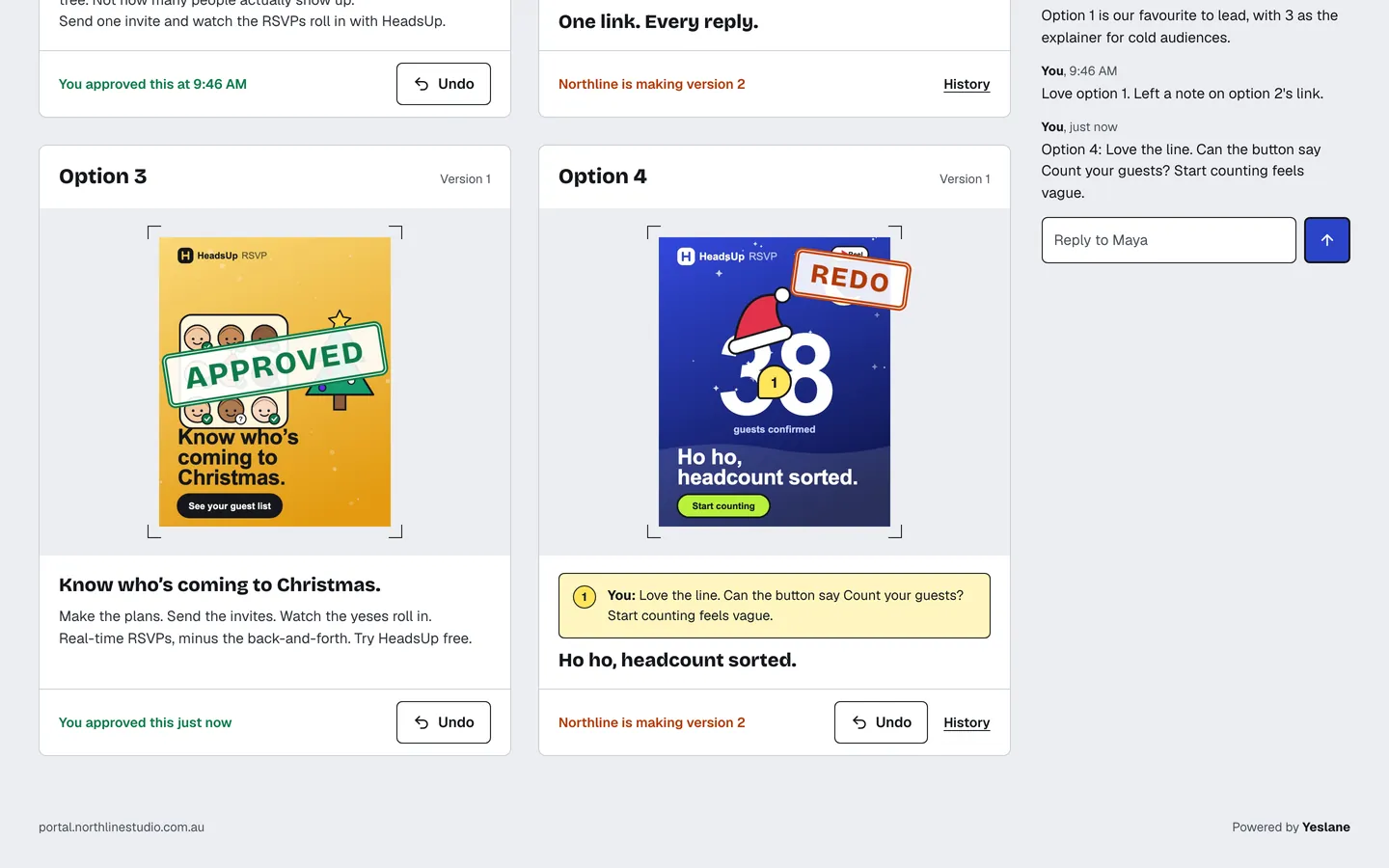
Approve, or send it back with a note
One click approves an option and stamps it. Sending one back asks what should change, and the note can be pinned to a spot on the creative.
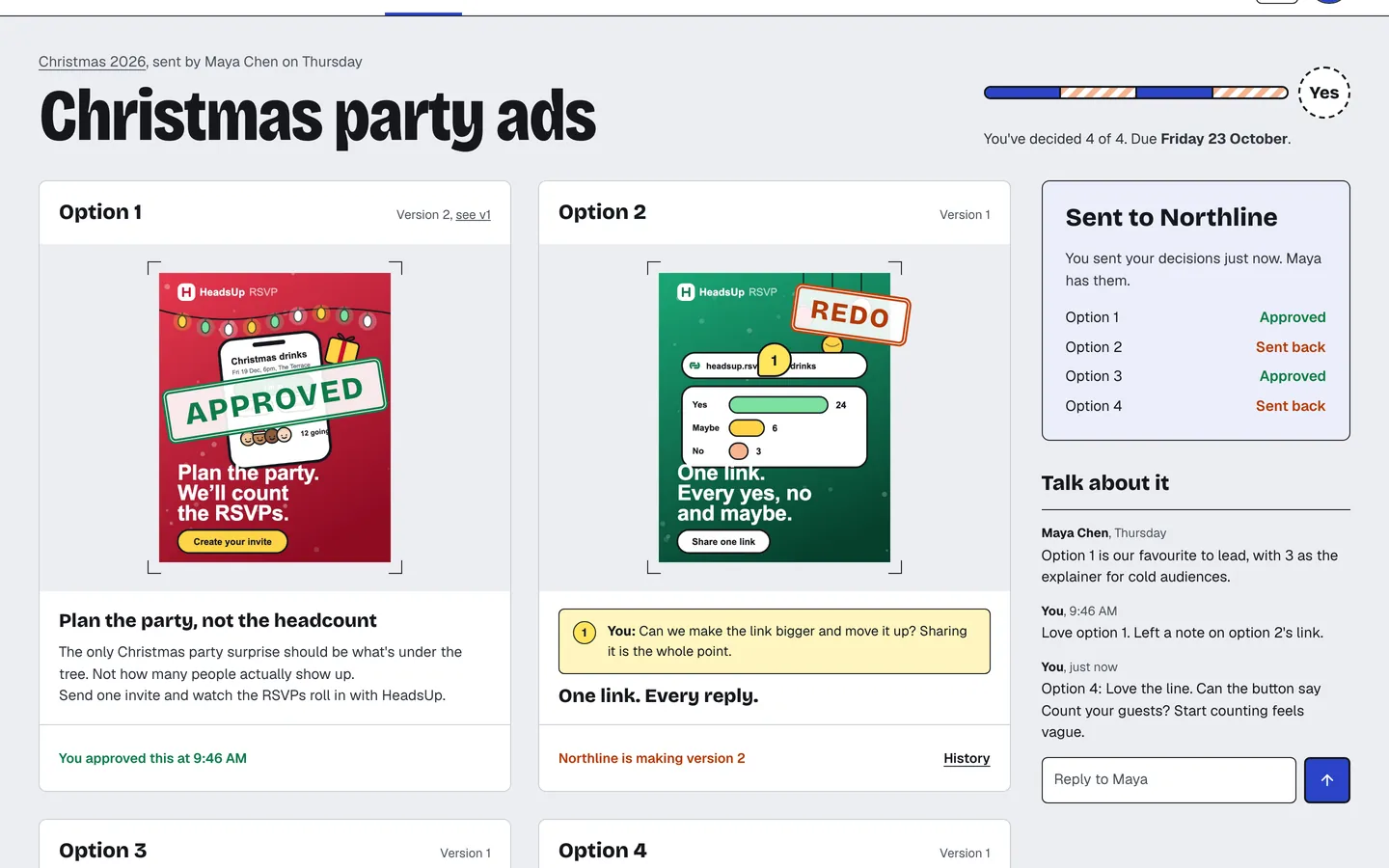
Every decision in one go
Once every option is decided, Henry sends his decisions to Northline together, with an optional note across all of them.
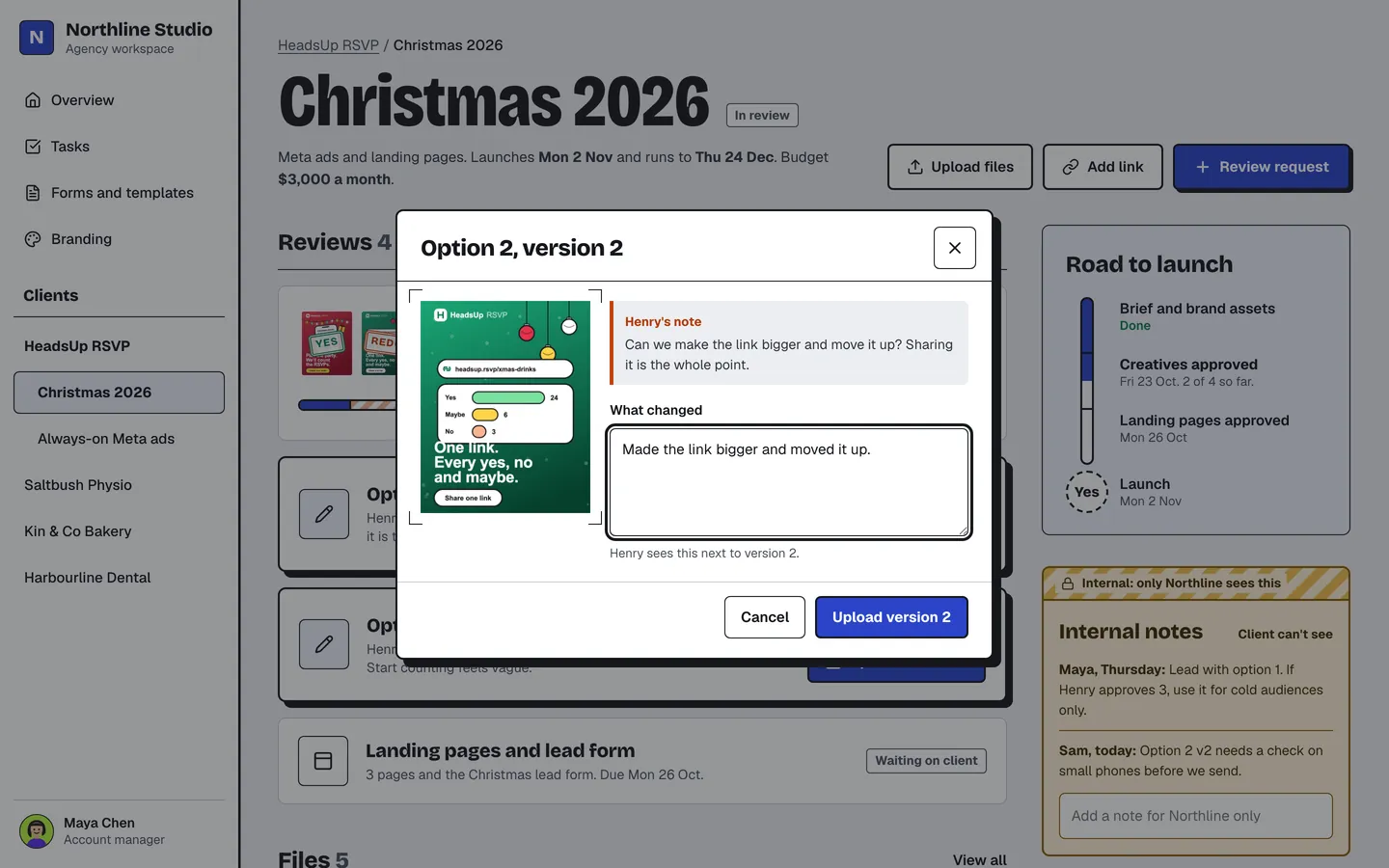
See what changed and why
Maya sees each sent-back option with Henry’s note beside it. Version 2 goes up with a line on what changed, and the version history keeps every step.
The lane fills to a yes
Henry approves the new versions. Four of four: the lane is full, and Northline knows straight away that the ads can go live.
Part 3
Everything around the work
Chat, reports, meetings and files in one place.
A client chat and a team chat
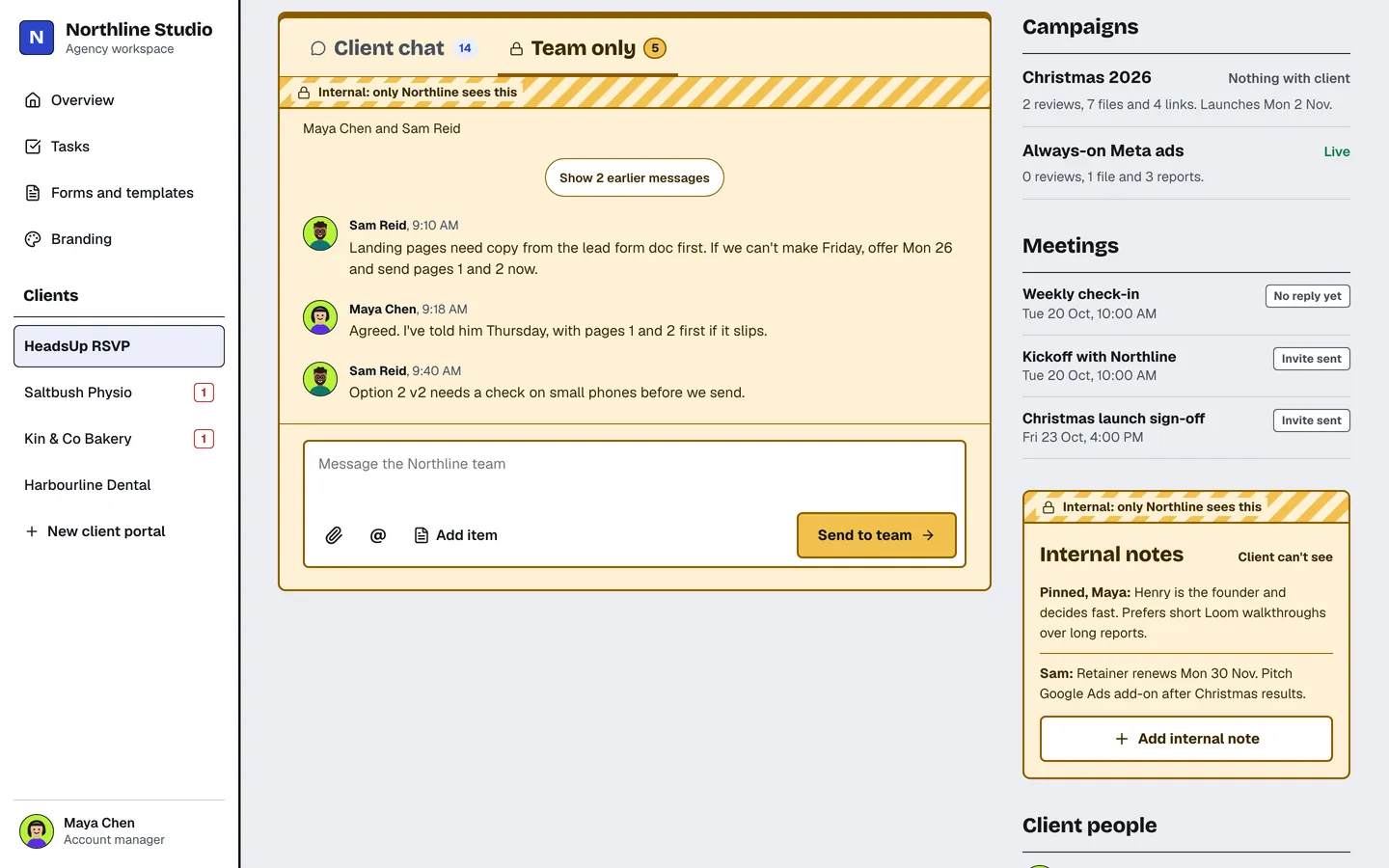
Maya and Henry share one client chat, with review cards and reports right in it. Northline’s own conversation about the client lives on a separate Team only tab that Henry never sees.
Weekly reports in minutes
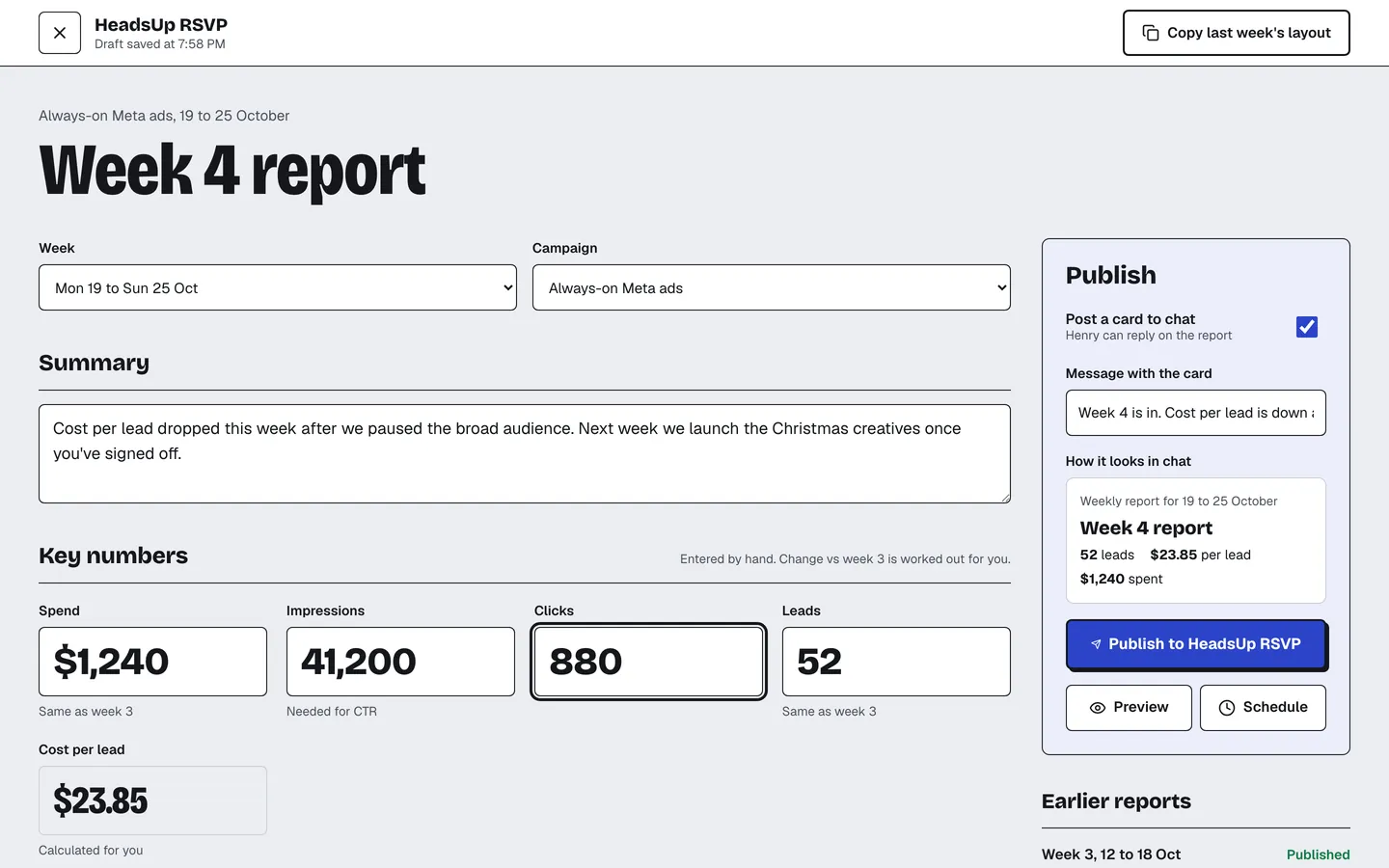
Maya enters the week’s numbers, cost per lead is worked out for her, and publishing posts a card to the client chat and to Henry’s home.
Check-ins with the agenda attached
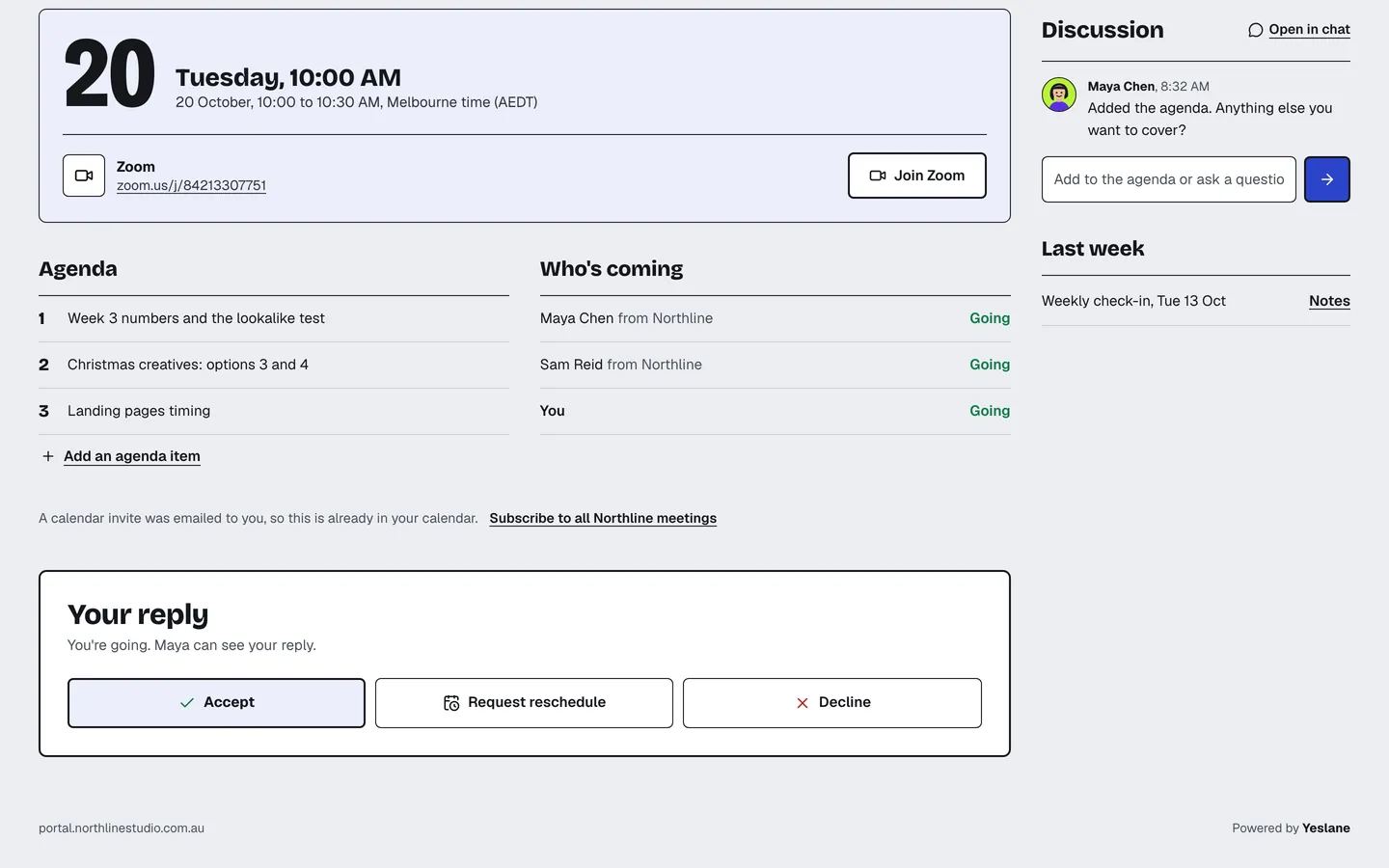
Recurring calls come with the agenda, the join link and who’s coming. Henry accepts in one click, and it’s already in his calendar.
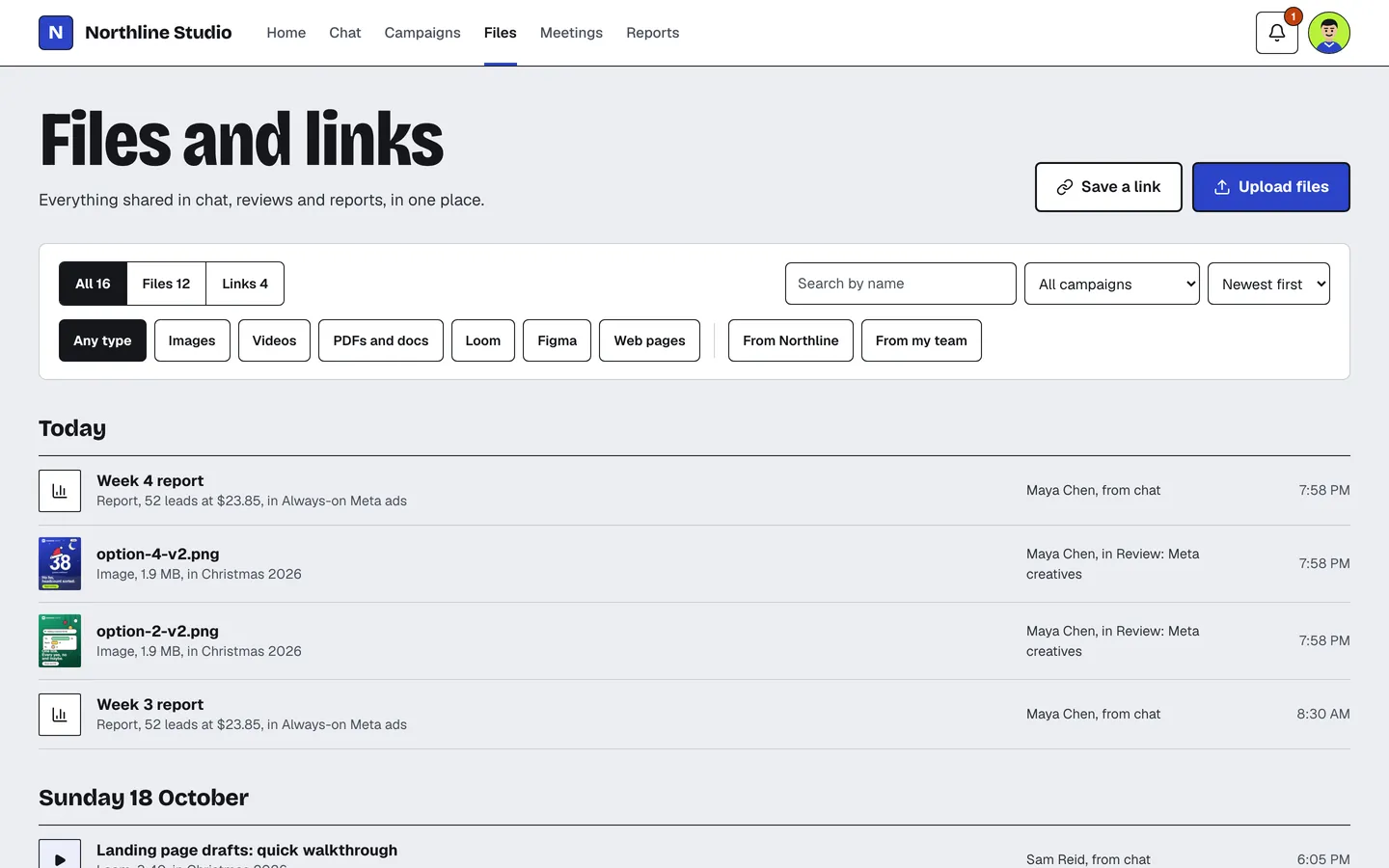
Every file in one place
Creatives, versions, reports, PDFs and links, filtered by type and campaign, so nobody digs through email for the latest file.
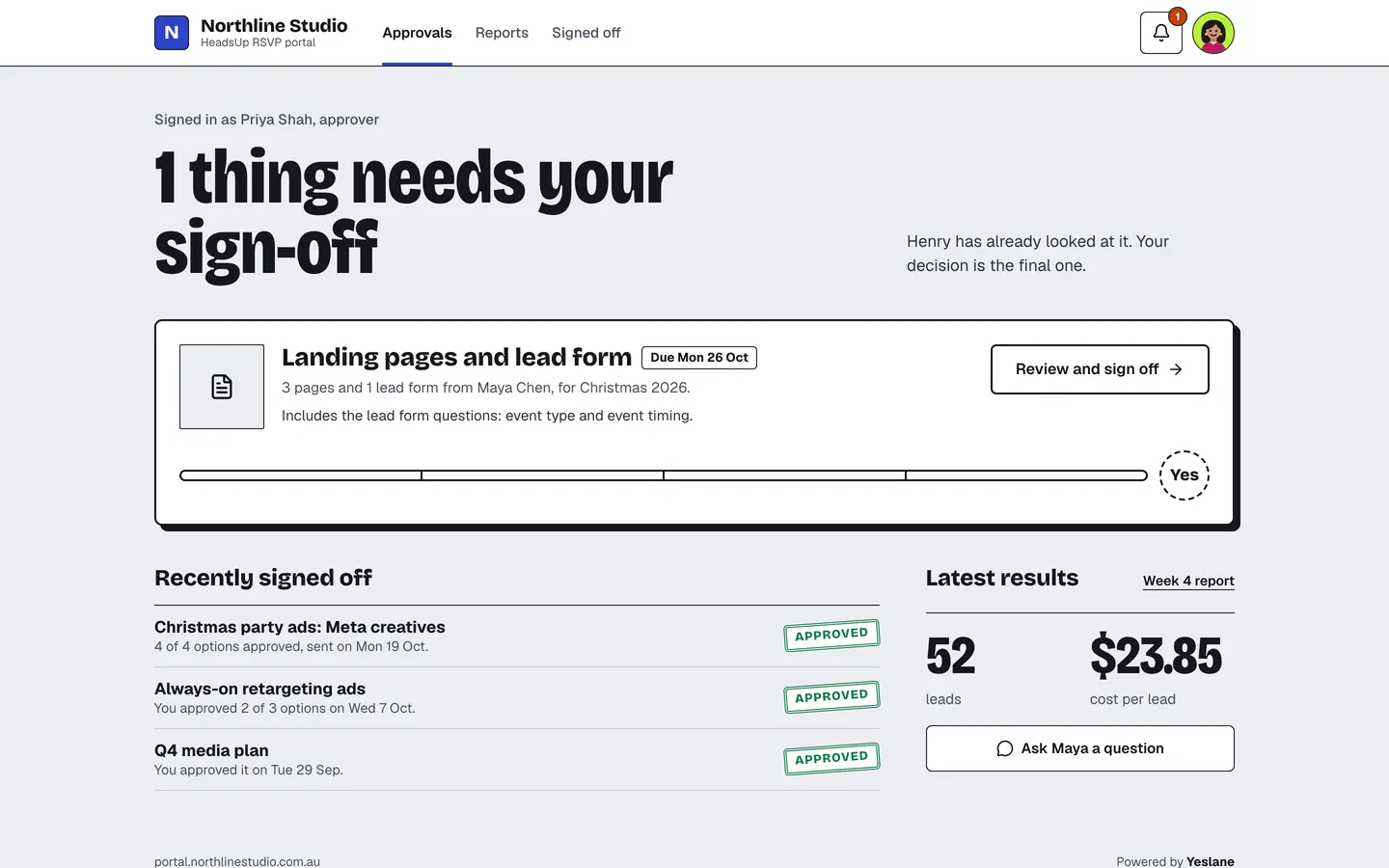
A lighter view for second approvers
Priya sees only what needs her sign-off, what she’s signed off before and the latest results.
Yeslane is coming soon.
Subscribe to our newsletter to hear when it opens, and to learn more as we build it.